Happy Plans Planner (Undated)
$29.99
Digital Download
1
Product Details
🩷This listing is an instant digital download.
Make sure you have all apps (Shortcuts, Google Calendar, Apple Calendar, & Apple Reminders) installed on your iPad for integration to work.
Note: If you have purchased the “Happy Notes” Notebook and set up the shortcut for integration, you Do NOT have to set up the integration when you purchase the “Happy Plans” Planner because it’s the same shortcut.
Description
This Digital Planner is like your favorite elementary teacher who taught you life lessons in a fun, colorful way. You’ll have fun learning to master your money, getting fit, keeping a spick-and-span house, meal planning in minutes, & much more with the included colorful planning pages. And, you’ll finally have that aha "I’m an adult" feeling. And just like that, Adulting has been made fun for you.
Features
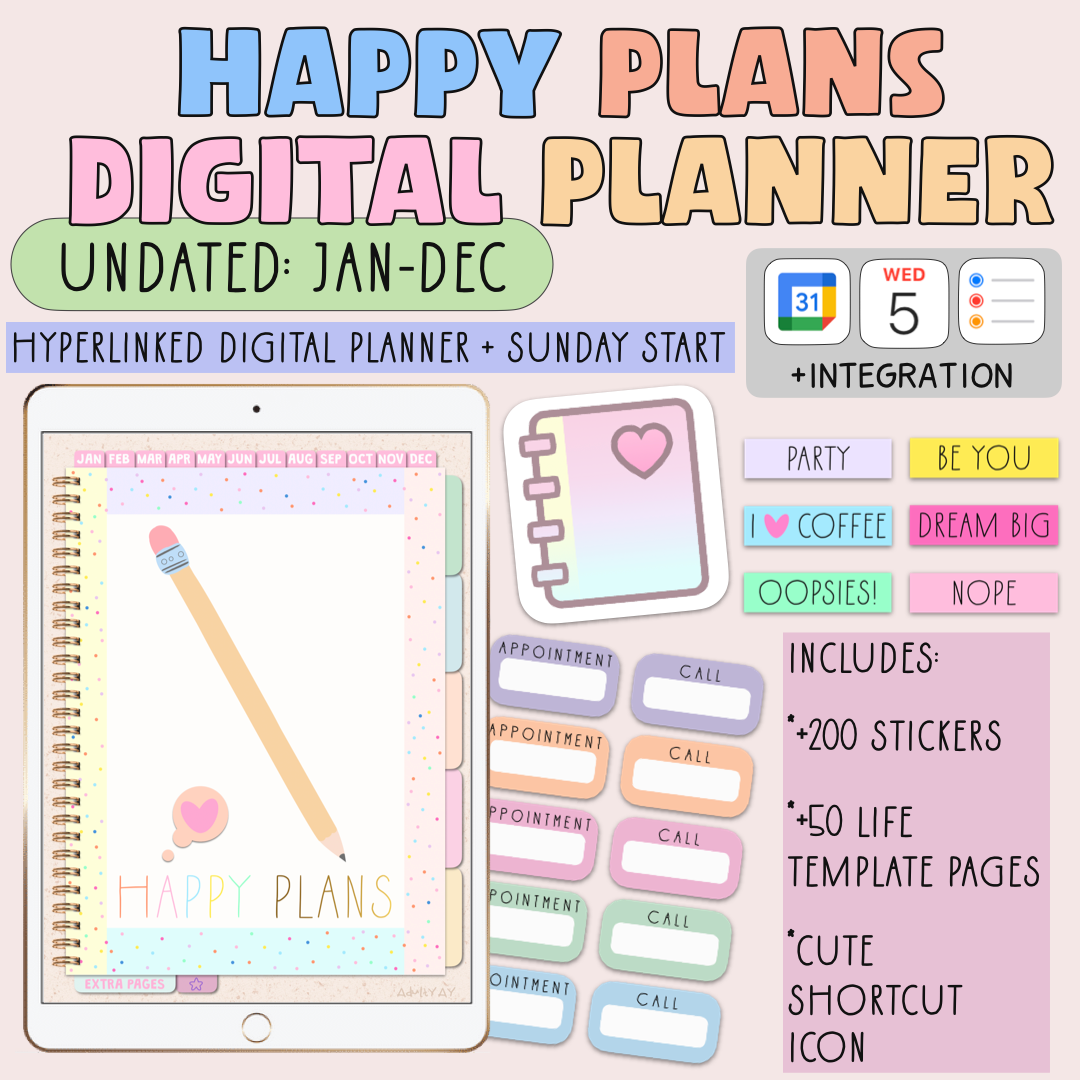
😍Portrait Undated Sunday Start (Jan-Dec)
🔔Integration: Google & Apple Calendar & Apple Reminders
💖This digital planner is integrated with Apple Calendar, Reminders, and Google Calendar, making it easy to add events and tasks directly from your digital planner.
*Please note: while this shortcut integration allows you to quickly send items to your calendars and reminders, it does not sync the planner with these apps. The shortcut integration only works on iPads. Make sure you have all apps (Shortcuts, Google Calendar, Apple Calendar, & Apple Reminders) installed on your iPad for integration to work.
🩷Navigate seamlessly through all pages and tabs with hyperlinks, making it easy to find exactly what you need.
Planner Features:
⭐️Monthly | Weekly | Daily Hyperlinked Pages
- Monthly Planning Pages For Each Month
- Weekly Planning Pages For Each Week
- Daily Planning Page For Each Day
⭐️12 Colorful Monthly Dashboard Pages before each Monthly Page
⭐️Year at a glance
⭐️Goals
⭐️Vision Board
⭐️Finance
⭐️Fitness
⭐️Cleaning Schedule
⭐️Password Keeper
⭐️Shopping List
⭐️Gratitude
⭐️Affirmations
⭐️Meals
⭐️Meetings
⭐️Projects
⭐️Birthdays
⭐️Weekly Pages
⭐️Daily Pages
⭐Lined
⭐️Dotted
⭐️Blank
⭐️Charts & Much More
⭐️51 Life Template Pages
⭐️11 Notebooks to Customize
(All of these templates can be duplicated as many times as you need)
⭐️+200 Digital Stickers
- Pre-cropped Individual PNG files.
- Video Tutorial included with the purchase.
⭐️ Cute Shortcut Icon (easily access your planner with this shortcut) (Note: iPad only feature)
Order Includes
🥳 1 PDF Planner (Undated, Sunday Start, Jan-Dec)
Digital Planner File Size: 7 MB
🥳 1 PDF “Start Here” of Video Tutorials (Helps you access, transfer, & learn how to use EVERYTHING.)
🥳 +200 Digital Stickers: (Pre-cropped Individual PNGS)
🥳 Cute Shortcut Icon for iPad home screen
Electronic Delivery
This is a digital product. You will not receive a physical product.
Your file will be available to download from your provided email once payment is confirmed.
Note-taking App
⭐️ You need a note-taking app to write in the planner. Confirmed app that work: GoodNotes. Please note: all tutorials are done in the app GoodNotes 6. A compatible writing stylus is needed. You can also type in your planner.
Take Note: iPad, writing stylus, and note-taking app are not included in purchase. The note-taking app, GoodNotes, is a separate App Store purchase.
Refund Policy
✨Please ask questions before purchasing.
*Due to the digital nature of the product, there are no refunds, cancellations, or exchanges , BUT please send an email if you have any problems (adultyay@gmail.com).
Want a free notebook to see if it works with your device?
Happy Plans Planner (Undated)